
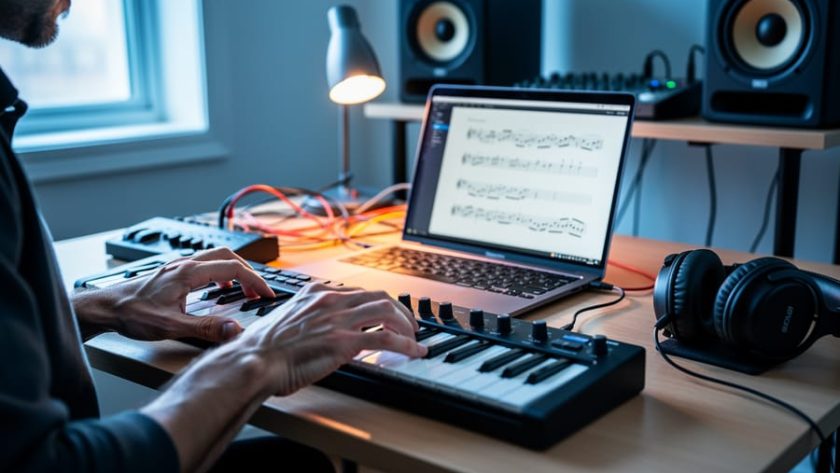
Music composition software is a digital tool that lets you create, arrange, notate, and produce music on a computer, tablet, or smartphone without needing traditional instruments or a full studio setup.
For the underground artists we champion here and the fans who want to understand how they work, these programs have leveled the playing field in ways the industry gatekeepers never anticipated. The bedroom producer in Montreal can now access the same sonic palette as a major label act, and that’s exactly why so many innovative tracks slip past the radar of mainstream recognition and wind up missing the best artists entirely.
Whether you’re an aspiring composer curious about diving into music creation or a listener who’s ever wondered how your favorite obscure artist crafted that haunting synth line or layered those vocals so perfectly, understanding these tools opens a window into the modern creative process. The software landscape ranges from bare-bones notation editors to full production powerhouses that handle everything from initial melody sketches to final mastering.
This guide breaks down what composition software actually does, how the creative workflow unfolds inside these programs, the main categories you’ll encounter, and how independent musicians are using them to build the sounds that define underground music in 2026. No pretentious jargon, just the practical knowledge you need to appreciate the craft behind the music.
What Music Composition Software Actually Is
Music composition software is essentially a digital playground where musicians create, arrange, and polish their songs entirely on a computer or tablet. Think of it as the modern equivalent of a recording studio, musical notebook, and production suite rolled into one, except it fits in your backpack and costs a fraction of what professional studios charged a generation ago.
What sets these tools apart from simple voice-memo apps or basic recording software is their focus on the creative process itself. You’re not just capturing a performance that already exists; you’re building music from the ground up. You can sketch out a melody, layer drum patterns underneath, add bass lines, weave in synthesizers, rearrange entire sections with a few clicks, and sculpt the sound until it matches what’s in your head. The software gives you control over every element of a track, from the initial idea to the final mix.
- DAW (Digital Audio Workstation)
- The complete software environment where you record, edit, arrange, and mix music, your central hub for the entire production process.
- MIDI (Musical Instrument Digital Interface)
- A digital language that lets your keyboard, drum pads, or mouse communicate musical notes and commands to the software, controlling virtual instruments without recording actual audio.
- Notation Software
- Programs designed for writing traditional sheet music, allowing composers to create scores that musicians can read and perform.
- Virtual Instruments
- Software versions of pianos, guitars, drums, orchestras, and synthesizers that sound remarkably realistic and respond to your playing in real time.
For the underground artists featured in music compilations across this site, composition software has become essential. It lets a bedroom producer in Manchester create lush electronic soundscapes, a hip-hop artist in Atlanta build intricate beats, or an experimental musician in Tokyo layer field recordings with synth textures, all without needing a professional studio or a band in the same room. The software handles the technical heavy lifting, freeing artists to focus on what matters: making music that sounds fresh and authentic.
How Music Composition Software Works
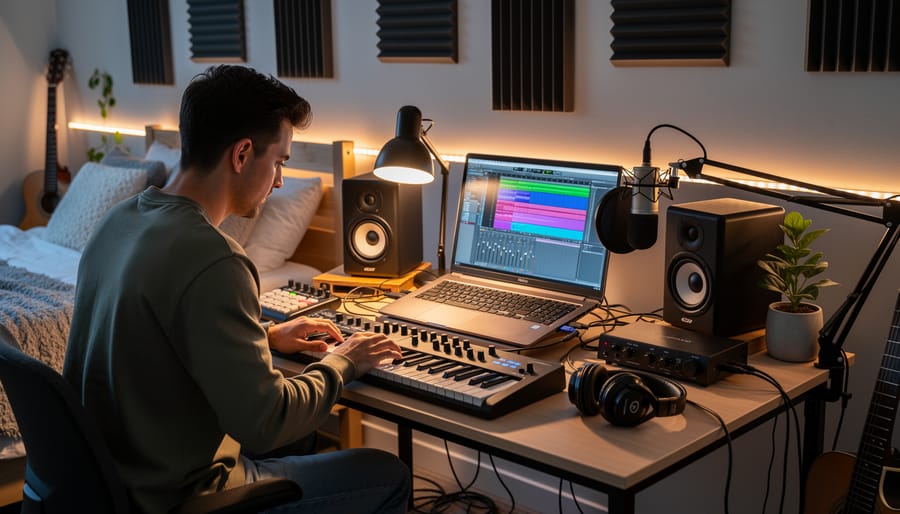
At its heart, music composition software gives artists a blank canvas and a full toolkit to build tracks from scratch or reshape existing ideas into finished songs. The software displays multiple tracks stacked vertically on a screen, each one representing a different instrument or sound, drums on one track, bass on another, synths and vocals on others. Musicians can record live performances through microphones or MIDI keyboards, or they can draw notes directly onto the timeline using a mouse, building melodies and rhythms one piece at a time.
The real power comes from layering. An artist might start with a simple drum pattern, then add a bassline that locks into the groove, followed by chord progressions, melody lines, and vocal tracks. Each layer sits on its own track, making it easy to adjust volumes, pan sounds left or right in the stereo field, or mute parts to hear how different combinations work together. This flexibility lets bedroom producers experiment fearlessly, trying out wild ideas without committing to anything permanent.
Most composition software shares these core capabilities:
- Recording and editing audio and MIDI performances with precision down to fractions of a second
- A library of virtual instruments and sounds that recreate everything from pianos to synthesizers without physical gear
- Effects processors for adding reverb, distortion, compression, and other sonic treatments
- Arrangement tools that let you copy, move, and restructure entire sections of a song
- Mixing controls to balance all the elements and create space in the final track
Once the arrangement feels right, artists dive into editing. They can tighten timing by nudging notes into place, pitch-correct vocal takes, stretch or compress audio, and chop samples into new rhythms. Effects then shape the character of each sound, adding warmth, space, grit, or polish depending on the vibe. When everything clicks, the software exports the multi-track project into a stereo audio file ready for streaming platforms or those killer music compilations you love discovering.
Different Types of Composition Tools
Full Digital Audio Workstations (DAWs)
Full DAWs are the Swiss Army knives of music production, they pack recording, composing, mixing, and mastering into one application. These platforms let artists capture live instruments, program drums and synths, layer vocals, tweak individual sounds with effects, and polish everything into a finished track, all without leaving the software. For most independent musicians creating the tracks that populate discovery playlists and underground compilations, a DAW serves as the entire studio.
The digital audio workstation definition encompasses everything from industry staples like Pro Tools and Logic Pro to accessible options such as Ableton Live, FL Studio, and Reaper. What matters more than the brand is finding a DAW that matches your workflow, some excel at beat-making and electronic music, others shine for recording live bands, and a few offer deep MIDI editing for intricate compositions. Many emerging artists start with free or budget-friendly versions (Reaper costs $60, GarageBand ships free on Macs) and upgrade only when their projects demand it. The real power of a full DAW lies in its flexibility: you can start with a simple beat, add recorded guitar, drop in sampled sounds, and end up with something entirely your own.
Notation and Score Software
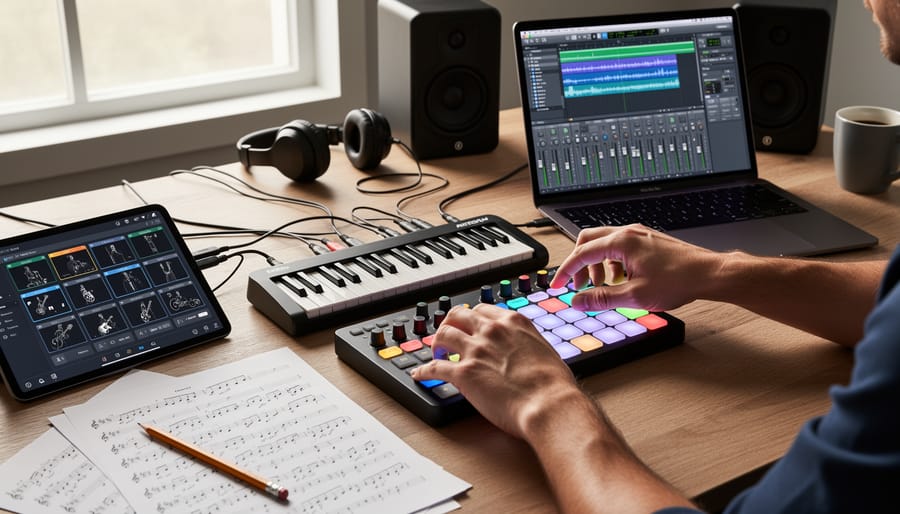
Notation software specializes in creating sheet music rather than producing recorded audio. These programs let composers write musical scores the traditional way, placing notes on staves, adding dynamics, articulating phrasing, then generate professional-looking printed parts for performers to read.
Classical composers, film scorers, and arrangers working with orchestras or ensembles rely heavily on these tools. You input notes using a mouse, keyboard, or MIDI controller, and the software formats everything according to standard musical notation rules. Most can also play back your score through basic synthesized instruments so you hear what you’ve written, though the focus remains on the written page rather than realistic sound production.
This category suits composers who think in terms of written music and need scores for live performers, rather than artists building tracks digitally for streaming platforms.
Beat-Making and Loop-Based Programs
Loop-based programs thrive in the hands of electronic producers and hip-hop beatmakers, the exact artists filling those underground playlists you can’t stop revisiting. These tools center around arranging pre-recorded audio clips, samples, and drum patterns into complete tracks, letting creators focus on groove, texture, and vibe rather than traditional melodic composition.
The workflow feels more like sculpting than writing. Producers drop loops onto a timeline, layer basslines over drum breaks, chop vocal samples into rhythmic fragments, then manipulate everything with effects until something entirely fresh emerges. Many underground tracks start with a single compelling loop that gets twisted, pitched, and processed into something unrecognizable from the source.
This software particularly suits genres built on repetition and variation, techno’s hypnotic pulses, lo-fi hip-hop’s dusty nostalgia, experimental electronic music’s abstract soundscapes. The barrier to entry stays low enough that bedroom producers can craft club-ready bangers or atmospheric headphone music without formal training, which explains why so many exciting discoveries come from artists working entirely in these loop-based environments.
Mobile and Browser-Based Options
Mobile composition apps and browser-based tools have reshaped how musicians capture ideas and sketch out tracks. These platforms run on phones, tablets, or directly in your web browser, no high-end computer required. They’re particularly popular among artists who want to work anywhere, whether that’s a bus ride, a coffee shop, or a friend’s couch.
What makes these options appealing is their low barrier to entry. Many are free or cost a fraction of desktop software, and they’re designed for quick sessions rather than marathon production workflows. You can lay down a beat while waiting for your train, record a melody idea before it evaporates, or experiment with samples using just your phone’s touchscreen.
Browser-based platforms let you compose without installing anything, which means you can jump between devices seamlessly. Mobile apps often include stripped-down versions of professional features, virtual instruments, loop libraries, basic mixing, that are genuinely usable for full track creation. Plenty of obscure artists have released entire projects made primarily on mobile tools, proving that constraint can fuel creativity rather than limit it.
How Independent Artists Use Composition Software
Independent musicians working from bedrooms, basements, and home studios rely on composition software to transform raw ideas into polished tracks that compete with major-label productions. A producer in Montreal might layer synthesizers and live guitar through a DAW at midnight, creating atmospheric electronic pieces that surface in curated compilations alongside artists from Berlin and Tokyo. This democratized access means genre-defying music no longer requires expensive studio time or industry connections, just creativity, patience, and the right software.
Bedroom producers use these tools to experiment freely, testing unconventional arrangements and sounds that traditional studios might discourage. An artist blending lo-fi hip-hop with ambient jazz can loop a vinyl sample, add finger-picked acoustic guitar, layer field recordings from a rainy afternoon, and process everything through vintage-style effects, all within the same project file. This freedom to iterate and explore without watching a studio clock fosters the distinctive voices and unexpected sonic textures critics celebrate in album review examples that spotlight emerging talent.
Collaborative projects thrive through composition software’s file-sharing and remote-work capabilities. A bassist in Vancouver might record parts for a track started by a producer in Manchester, who then sends stems to a vocalist in Melbourne for final touches. These geographically scattered collaborations produce the cross-pollinated sounds that define contemporary independent music, with each contributor working in their preferred software and time zone.
The accessibility of entry-level and free composition tools means artists with limited resources can still create compelling music. A teenager with a laptop and basic software can produce beats that land on streaming playlists, while a self-taught composer can arrange intricate electronic pieces that rival conservatory-trained musicians. This technological shift has fundamentally altered who gets to make music professionally, breaking down barriers that previously kept talented but under-resourced artists out of the conversation. The result is a richer, more diverse musical landscape filled with voices that traditional gatekeepers might have overlooked.
What to Look for When Choosing Software
Choosing composition software isn’t about finding the “best” tool, it’s about figuring out what works for your specific creative process and goals. Start by considering the kind of music you want to make. If you’re crafting sample-heavy hip-hop beats, you’ll need different features than someone composing orchestral arrangements or recording live guitar tracks. The software that serves an electronic producer might frustrate a singer-songwriter, and vice versa.
Budget matters, obviously, but the landscape has changed dramatically. Free options like GarageBand, Reaper (with its generous trial), and browser-based tools now offer capabilities that cost thousands a decade ago. You don’t need to drop serious money to start creating, many underground artists featured in music compilations built entire albums on free or cheap software before upgrading. That said, if you’re already committed and know your needs, investing in a full-featured DAW can save frustration down the line.
Think practically about these factors when evaluating options:
- Workflow feel: Does the interface make sense to you, or does every task feel like solving a puzzle?
- Learning resources: Are there tutorials, forums, and communities you can tap into when stuck?
- Your computer specs: Will the software actually run smoothly on your current machine?
- Upgrade path: Can you start with a basic version and expand features as you grow?
- Collaboration needs: Does it support file formats your collaborators use?
- Included sounds and plugins: Does it come with usable instruments and effects, or will you need to buy them separately?
The learning curve varies wildly between programs. Some offer gentle onboarding with templates and simplified modes; others throw you into deep water immediately. Download trials whenever possible and actually try creating something, even a rough 30-second sketch will reveal whether the software clicks with how your brain approaches music-making. The tool that confuses you today might feel natural in a week, or it might always fight you. Trust your gut after giving it a fair shot.
Common Questions About Music Composition Software
Do I need formal music training to use composition software?
Not at all. Many underground artists creating the tracks you hear in curated compilations taught themselves through YouTube tutorials, online forums, and experimentation. The software handles the technical heavy lifting, letting you focus on ideas and creativity rather than theory.
How much does decent composition software cost?
You can start completely free with programs like GarageBand (Mac) or Cakewalk (Windows), and many artists produce full releases without upgrading. Paid DAWs range from around $60 for entry-level options to $500+ for professional suites, but there’s no correlation between price and creativity, some of the freshest sounds come from free tools.
What kind of computer do I need?
Most modern laptops from the past five years can run composition software adequately. You’ll want at least 8GB of RAM and a decent processor, but you don’t need a gaming rig, plenty of bedroom producers work on mid-range machines and still create tracks that end up defining underground scenes.
How long does it take to learn?
Basic track creation takes days to grasp; producing something you’re proud to share might take weeks or months of consistent practice. The learning curve varies wildly depending on your goals, sketching ideas is quick to pick up, while mastering mixing techniques or figuring out the ideal album length and flow takes longer.
The beauty of composition software is that you can start making noise immediately and refine your approach over time. Most independent artists learn by doing, releasing rough early tracks and improving with each project. The software grows with you, revealing deeper features as you need them rather than overwhelming you upfront.
Understanding the tools behind the music you love adds a new dimension to discovery. Every track you find in our compilations, every unexpected sound that stops your scroll, started with an artist and composition software. These digital tools have demolished the old gatekeepers, letting bedroom producers in Seoul, garage bands in Porto, and experimental artists in Detroit create professional-quality music without needing a record label’s studio budget.
That obscure artist who just showed up in your playlist? They probably composed their breakthrough track on a laptop, layering sounds late at night until something clicked. The genre-defying track that doesn’t fit any category? That came from someone experimenting with tools that encouraged rule-breaking rather than formula-following.
When you stream a fresh compilation or share an underground gem, you’re experiencing the direct result of this democratized creativity. The software isn’t just technical, it’s the canvas where new voices sketch ideas that traditional music infrastructure would have ignored. Next time a track catches your ear, remember there’s an artist behind it who had access to the same composition tools as the mainstream, but chose to create something different, something real, something worth discovering.